
Sub Company Panel
Grow and Expand Your Taxi Company by Working With Other Companies


Uplift Your Taxi Business by Partnering With Other Fleets


Taxi companies can grow their business by collaborating with other fleets via the Sub-Company Panel. The Admin can create a profile for the sub-company panel using the Fleet Owner’s name, Sub-Company’s name, Email, and Mobile number. Admin can add more fleets to the list by entering the details of the sub-company, which will help your business grow. If necessary, the admin can remove sub-companies and view the trip histories for the drivers (ride now and scheduled trips) and vehicles in this panel.
Sub Company Panel Features
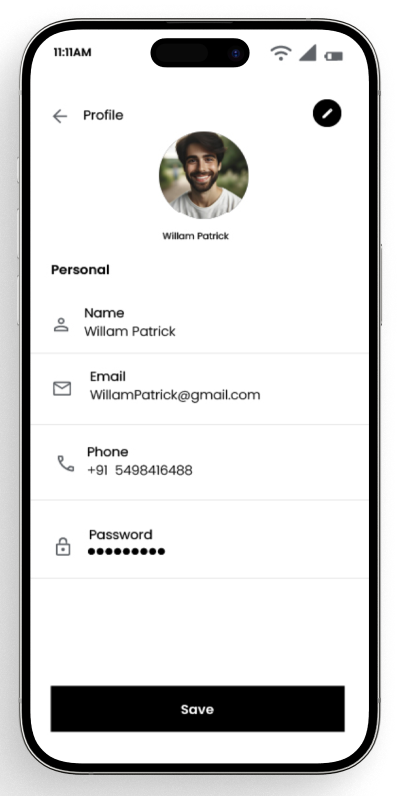
Profile Management
Sub-company Admin can change/update a company's profile by entering information such as Name, Company Name, Mobile Number, etc.
Add New Drivers
Sub-company Admin can add new drivers by entering details like Name, Email ID, Mobile Number, Country, Password, Gender, Profile Picture, etc.
Report Management
Sub-company Admin can view the earnings report of drivers or delivery providers on a daily, monthly, or yearly basis.
Add Sub-Companies
Sub-company Admin can add more companies to the list by entering the details of the sub-company, which will help your delivery business grow.
Ride Statement
Sub-company Admin can view drivers' overall ride statements, which include details such as Booking ID, Picked Up, Stop 1, Stop 2, Dropped, etc.
Wallet Management
Sub-company Admin can view and manage Provider's Wallet, which includes information like the Provider's Name, Email ID, Mobile Number, and Wallet Amount.
Add-On Features
Driver Ratings
Sub-company Admin can view and manage driver ratings, which include details like Request ID, User & Driver Name, Rating, Date & Time, and Comments.
Driver Statement
Sub-company Admin can view all the reports and statements of a specific delivery provider or all delivery providers from this panel.
Trip/Order History
Sub-company Admin can view all the trip/order histories of the drivers and delivery drivers from this sub-company panel.
Ratings and Feedback
Sub-company Admin can view the ratings and feedback given to delivery providers as well as feedback given to customers by delivery providers.
Invoice Details
Sub-company Admin can view the carrier invoice details, which include Invoice ID, Carrier Name, No. of Rides, Ride Total, Percent, Current Payment, etc.
Live-Tracking
Sub-company Admin can track the live locations of delivery providers and customers through Google Map Navigation from this panel.